Google Cloud

Duel stack life - exchanging momentum for speed

The need for speed - analysing the speed differences in AWS vs GCP

James Montgomery

5 minute read

TL; DR

I knew duel stacking this site would introduce some challenges. In this case, I found myself chasing speed demons at the expense of a focus on other project time. I’ve enjoyed every minute of it - however, there’s a lesson in there.

Multi-cloud thoughts

This site is a project which began on the one hand as a reason to explore the GCP Firebase hosting product. Extending it to AWS has added a dimension to it whilst still being relevant to the project itself.

TTS project update 1 - adding texture to my generated speech

Introducing a pool of voices and choices in rate of speech, pitch and volume gain.

2 minute read

TL; DR

In this post, I’d like to share an update on work to address some of the limitations in my text to speech project for Elite Dangerous.. Namely:

  • Single voice is used for the synthesis; and
  • Pitch, tone and emphasis are unchanged from defaults.

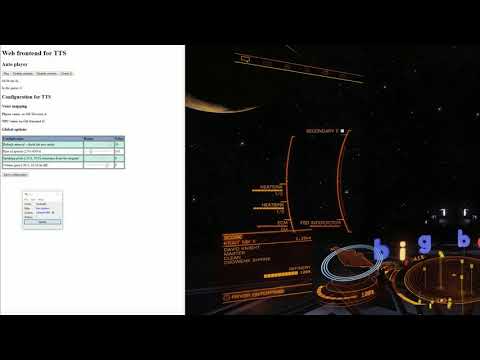
If you’d like to see the result of the work so far, here is a brief overview video, I’ll describe how we got here below:

TTS March 19 update video!

Google Firebase with a side of AWS Amplify

Dual hosting a Hugo static site with two of the largest CDNs in the world.

4 minute read

TL; DR

In this post, I’ll discuss a rabbit hole that I went down with only a thin excuse as the reason. And here it is, a Reddit reply to a shared post from this site:

I can’t view on my desktop because your site is blocked on my network. Sorry

The rabbit hole in question? Dual stacking this site across Google and Amazon infrastructure.

Introducing AWS Amplify

I first read about Amplify in this blog post. It discussed the launch of Amplify Console as an evolution of the framework that proceeded it into a service offering. Described as:

Google Cloud Text-to-Speech with PowerShell

A guide for using PowerShell with the Google Cloud Text-to-Speech API.

6 minute read

TL; DR

In this post, I’ll walk through the basics of using PowerShell to interact with the Google Cloud Text-to-Speech API. Partly a documentation exercise and somewhat a guide I’d like to have been able to read when I started on my Elite Dangerous Google Cloud Text-to-Speech project.

As such, we’ll start with a basic script to produce an audio file and explain how that works. Later I’ll walk through some parameters of interest to affect the response. Lastly, I’ll introduce how we can use SSML for a variation in response.