PowerShell

TL; DR
How do you pass the time on a car journey? Most of us have memories of “I spy” or other game.
Lately, I’ve been looking out for number combinations after a car I owned passed 123k miles - specifically 123456 miles. What’s more, the trip computer almost made it read 1234567890!
As time passed, I was looking out for other odometer readings. 123465 miles was the next number of interest. The trip computer, however, didn’t complete the set.

Table of contents
TL; DR
Have you ever wondered, how many unique digits are in a number? Alternatively, how many times does a given digit appear in a number? Using PowerShell, I explore these questions in a variety of means and examples.

TL; DR
In this post, I’d like to share an example of bringing to life the data returned by an API. One PowerShell example takes the output of Get-NetTCPConnection and Get-Process to create a JSON representation of process IDs and their network connections.
Universal Dashboard provides the means to expose this via REST API. Lastly, the vis.js network module creates a visual representation of this data.
Here is an example video:

TL; DR
In this post, I’d like to introduce you to how I’ve used PSGraph to create visuals from code. I’ll show you how to represent the Windows DNS cache graphically. Here is an example output (click for a full size image):
Below I cover how to arrive at that outcome. You can find all scripts used at my GitHub page.
Why DNS
The hierarchical nature of DNS (subdomain.topleveldomain.rootdomain) lends itself to graphing. Head over to dnsdumpster if you want to see an excellent example of that.

TL; DR
I finally dusted off that Raspberry Pi in the corner. Initially, I was putting Pi-hole through its paces. One thing led to another as a new rabbit hole emerged in the form of adding encrypted transport to forwarded queries (a subject I visited in the past). I purchased another Pi for resiliency. I then explored how I might visualise the performance of the solution.
Lastly, a first for me, I have shared this code on my GitHub page.

TL; DR
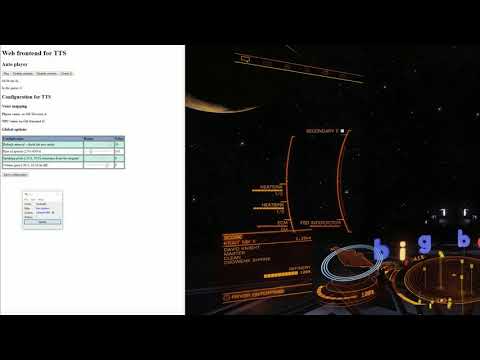
In this post, I’d like to share an update on work to address some of the limitations in my text to speech project for Elite Dangerous.. Namely:
- Single voice is used for the synthesis; and
- Pitch, tone and emphasis are unchanged from defaults.
If you’d like to see the result of the work so far, here is a brief overview video, I’ll describe how we got here below: